LIVE 4-DAY Claude Code Live WORKSHOP: March 24th-27th, 2026 | 5-7 PM ET
“I Gave Claude Code a 2-Sentence Idea at 9 AM. By Lunch, I Had a Working App ”
That's not a fantasy. That's Tuesday for builders who know the 8-Phase Launch Sequence.
This is a 4-day, hands-on workshop where you install, configure, and master the complete Claude Code system — then use it to build 3 real applications before the week is over.
No coding experience required. No computer science degree. No $150/hr developer on retainer.
Just a repeatable framework, the right AI tools, and 8 hours of guided implementation with two experts who build this way every single day.
By 7:00 PM on March 27th, you'll have three working applications:
→ A Lead Magnet Quiz Funnel that captures emails and segments your audience
→ An ROI Calculator that shows prospects the cost of inaction
→ A Smart Booking Page that qualifies leads before they hit your calendar
March 24-27, 2026 | 5:00 PM - 7:00 PM Eastern Time
✓ Lifetime Community Access



✓ Lifetime Community Access
Most People Are Still Asking AI to Write Emails. A Small Group Is Using It to Build Entire Businesses.
If you've been paying attention to the AI builder space, you’ve felt something shift.
Some builders — many of them non-technical — are creating full applications in a single afternoon.
Apps with user accounts. Apps with live URLs they can text to a client that evening.
And they're not writing code the traditional way. They're directing AI agents like a project manager directs a development team. One agent reviews the code. Another handles the frontend. Another runs tests. Another deploys.
The tool at the center of all of it: Claude Code.
Here's the part that matters to you:
These aren’t all senior engineers.
Many of them are coaches, agency owners, consultants, and solopreneurs who — six months ago — couldn't have told you what a terminal was.
They loved those tools. Many still use them. But they discovered there was another level of capability available — a deeper way to work with AI that opens up things browser-based tools weren’t designed to handle.
They didn't become programmers. They became builders. There's a massive difference.
A programmer writes code. A builder directs AI to create exactly what their business needs — and ships it to the internet the same day.
This workshop turns YOU into a builder.
of all GitHub code commits now involve Claude Code — and growing fast
AI task capability has been roughly doubling at this rate. What took weeks now takes hours.
Students trained across AI building and automation by Nuno Tavares
Cost of Claude Pro — vs. $350–500/day for a traditional developer
What Happened on February 5th, 2026: And Why It Matters For Non-Technical Builders
Anthropic released Claude Opus 4 and the AI community noticed something fundamentally different.
This wasn't just faster responses or better code output. People started describing it as having "judgment and taste" — the ability to make intelligent decisions about how to approach problems, not just blindly execute instructions.
For the first time, builders could hand Claude an entire project plan and trust it to make good choices about implementation details. Not perfect choices. Not magic. But consistently solid judgment that dramatically reduced the back-and-forth.
That shift turned Claude Code from "a really smart autocomplete" into something closer to a junior developer who actually thinks.
And for non-technical builders? It changed the equation entirely. Because the gap between "having an idea" and "having a live application" suddenly got very, very small.
2022
AI couldn't do reliable arithmetic.
Confidently told you 7 × 8 = 54
2023
AI passed the bar exam
Professional-level reasoning arrived.
2024
AI wrote working software
Explained graduate-level science
Late 2025
Top engineers began delegating
Entire coding workflows handled to AI.
Feb 5, 2026
Claude gained judgment and taste.
"It wasn't just executing instructions. It was making intelligent decisions about how to approach problems." The era of AI-directed building began.
The Builders Who Learn This System Now Will Have a Head Start That Compounds

The Cost Gap Is Real
Traditional developers cost $350–500/day. Claude Pro costs $20/month. You don't need to be a math genius to see where this goes. The businesses that learn to direct AI to build their own tools will operate at a fundamentally different cost structure than those still outsourcing everything.

The Capability Curve Is Steep
AI task capability has been roughly doubling every 4–7 months. One year ago, AI could handle about 10 minutes of autonomous work. Today it can handle hours of focused building — writing code, debugging, deploying. This is the trend line, and it's not slowing down.

The Enterprise World Has Noticed
Major companies — including Accenture — have launched large-scale Claude training programs. Law firms are describing AI as working with a team of associates. The organizations with the biggest budgets are betting heavily on AI-directed work. That's a signal worth paying attention to.

The Window Is Open Right Now
There's a pattern in every technology shift. A small group learns the system early, builds expertise while it's still uncrowded, and has a significant head start when everyone else catches up. Claude Code is in that early-adoption window. It won't stay there.
What Claude Code Actually Does (And Why It's Different From Every Other AI Building Tool You've Tried)
If you've experimented with Lovable, Bolt, Cursor, or Replit, you already know AI can generate code.
That's not news.
What those tools can't do — by design — is give you full control over your development environment, run multiple AI agents in parallel, connect to external services like GitHub and databases, or deploy production applications.
Claude Code does all of that. Here's what it unlocks:

Terminal-native power
Claude Code works directly in your file system — your folders, your Git repos, your APIs. No browser sandbox. No platform middleman. Everything you build lives on your machine. You own it completely.
Agent Teams
Run multiple Claude instances simultaneously on the same project. A Code Reviewer checking for bugs while a Frontend Developer builds the UI while a Tester verifies everything works. Like having a development team that costs $0.67/day.

MCP Servers (Your AI's Hands)
"MCP servers are like USB ports for AI." Each one plugs a new capability into Claude — GitHub access, browser control, live documentation, web search, database connections. Without them, Claude is trapped in your project folder. With them, it can interact with the entire internet.

Skills System (Instant Expertise)
Pre-built knowledge packages that make Claude a specialist in seconds. Frontend design. Document creation. Brand voice. Code review. Install once, trigger with one word, reuse across every project you ever build.

CLAUDE.md Playbooks (The Secret Weapon)
Configuration files that encode exactly how YOU build — your standards, your style, your security rules, your project context. This is the behind-the-scenes reason some builders get incredible output from Claude Code while others get frustrated. Same tool. Different instructions. We give you the templates.
The 8-Phase Launch Sequence (Your Repeatable Framework)
Scaffold → CLAUDE.md → PRD → Database → Build → Ship → Verify → Fix. Eight phases that turn any idea into a live, deployed application. Learn it once. Use it for every app you ever build. This is the core IP of the workshop.
Think of your favorite AI building tool as a powerful car. Claude Code is what happens when you pop the hood and get access to the engine.
Same direction. More power.
Full control.
Everything You'll Learn: 4 Days. 12 Lessons. 3 Apps.
This isn't a surface-level demo or a "watch me build" livestream. This is the complete Claude Code operating system.
every tool, every framework, every configuration — installed and tested on YOUR machine across 8 hours of hands-on implementation.
AI Models & Environment
Claude Code as your terminal-native AI agent. Claude Opus 4.6 and its judgment capabilities. VS Code, CLI, Node.js, Git — installed and configured correctly the first time.
The Toolbelt (MCP Servers)
5 essential connections installed and tested: GitHub, Context7, Sequential Thinking, Playwright, Brave Search. Claude goes from "trapped in a folder" to "connected to the world."
Portable Expertise (Skills)
Plugin Marketplace for pre-built skills. Custom skill creation. Brand voice encoding. Every skill becomes a slash command. Install once, reuse everywhere.
Your AI Dev Team (Agents)
5 specialized agents — Reviewer, Debugger, Frontend Dev, Documenter, Tester — configured with role-based permissions and running in parallel.
Planning & Structure (GSD Framework)
Investigate → Plan → Store → Define DONE WHEN. Your plan lives in a file, not a conversation. Claude reads it fresh every session. No context rot. No guessing.
The 8-Phase Launch Sequence
Scaffold → CLAUDE.md → PRD → Database → Build → Ship → Verify → Fix. The repeatable framework for turning any idea into a live application. Master it on Build Day.
DAY 1
Foundation: "Install It Right or Debug It Forever"
Tuesday, March 24 | 5:00–7:00 PM ET
Every reliable Claude Code build starts with a properly configured environment. This is the setup that 90% of YouTube tutorials skip — and it's why most beginners spend their first week troubleshooting instead of building. You won't have that problem.
Lesson 1: Installing Claude Code
VS Code, the Claude Code Extension, the CLI, Node.js, Git. Both Mac and Windows covered step by step. Authenticated and verified before your first prompt. We cover the Windows PATH configuration that silently breaks everything when done wrong.
Lesson 2: The CLAUDE.md Playbook
Give Claude persistent memory. You'll create a Global CLAUDE.md (your personal defaults that follow you everywhere) and a Project CLAUDE.md (project-specific rules and context). After this, Claude remembers your coding style, security rules, and project details every session. No more re-explaining yourself every time you open VS Code.
Lesson 3: Skills — Portable AI Expertise
Install pre-built knowledge packages that make Claude a specialist on demand. Frontend design, document creation, code review — each one becomes a /slash-command you trigger with a single word. Plus, you'll create your first custom skill.
What you’ll walk away with: A fully configured development environment with persistent AI memory, security guardrails, and a library of specialist skills. This is the foundation the other 3 days build on — and the setup you'll reuse for every future project.
DAY 2
Power Tools: "Today Claude Gets Hands. Real Ones."
Wednesday, March 25 | 5:00–7:00 PM ET
Day 1 gave Claude a brain and a memory. Day 2 gives it hands, eyes, and a team.
This is the day that changes how you think about what AI can do. You'll connect Claude to the outside world, build your AI development team, and install the automated safety guardrails that make autonomous building possible.
Lesson 4: MCP Servers
Claude without MCP servers is a brain without hands. You'll install 5 essential connections: GitHub (version control), Context7 (live documentation so Claude never uses outdated code), Sequential Thinking (structured reasoning), Playwright (browser automation — Claude can literally click through your app and test it), and Brave Search (real-time web access). After this lesson, Claude isn't guessing — it's connected.
Lesson 5: Building Your AI Dev Team
Here's the secret most people miss: after about 7,500 words in a single Claude conversation, reliability drops roughly 50%. The fix? Stop trying to do everything in one chat. You'll install 5 specialized agents — Reviewer, Debugger, Frontend Dev, Documenter, Tester — and learn to delegate tasks. Each agent gets a fresh context window, does its job, and reports back a clean summary. Your main thread stays sharp. This is how you scale without context rot.
Lesson 6: Hooks: Rules That Enforce Themselves
Automated guardrails that fire every time Claude edits a file. Your PostToolUse hook runs a code formatter automatically — so every file Claude writes is clean. Your PreToolUse hook blocks Claude from accidentally overwriting sensitive files like .env (where your API keys live). Set them up once. They run forever. No reminders needed. This is what makes Day 3's autonomous execution safe.
What you’ll walk away with: Claude connected to 5 external tools, a 5-agent development team running in parallel, and automated safety hooks protecting your work. You've just built the AI equivalent of a fully staffed development shop. Total cost: $0.67/day.
DAY 3
Build Workflow: "Today You Turn Prompts Into Systems"
Thursday, March 26 | 5:00–7:00 PM ET
This is the day you stop being someone who "uses AI" and become someone who directs AI to build things.
You'll turn your best prompts into reusable one-word commands, learn to create structured build plans that survive across sessions, and unlock the mode where Claude builds autonomously while you supervise.
Lesson 7: Custom Slash Commands
"One word. Entire workflow." Instead of typing a 200-word prompt every time you start a new project, you type `/kickoff` and the entire scaffolding workflow fires. Instead of explaining what a code review should check, you type `/review` and a comprehensive quality audit runs automatically. You'll build 3 working commands: /kickoff (project bootstrapping), /review (code quality checks), and one custom command of your choice. Your prompt library becomes push-button automation..
Lesson 8: Planning With GSD
"Files beat conversations. Always." Here's why most AI builds go sideways: the builder explains the project in a chat, the chat gets long, and Claude starts hallucinating or contradicting itself. The fix is a plan file — a physical document at /spec/plan.md that Claude reads fresh every session. You'll use Plan Mode (read-only investigation), create a structured roadmap with phased tasks, and write specific, binary "DONE WHEN" criteria for every feature. "DONE WHEN: User sees confirmation modal after submitting email." No ambiguity. No guessing.
Lesson 9: Autonomous Execution
The moment everyone waits for. You'll switch Claude to Auto-Accept mode — cruise control for coding — and let it execute your plan phases autonomously. With the safety hooks from Day 2 protecting sensitive files, checkpoints saving your progress, and the Rewind feature letting you undo any mistake instantly, you can let Claude build while you supervise. Or walk away. We'll also cover when to use each of Claude's 3 permission modes (Normal, Auto-Accept, Plan), the 3-Try Rule (if something fails 3 times, stop and rethink — don't loop), and context compaction so you don't panic when it happens mid-build.
What you’ll walk away with: A complete autonomous build workflow. Slash commands for your most common tasks. A structured planning system that prevents AI hallucination. And the confidence to let Claude execute while you focus on the big picture. Tomorrow, you put ALL of this together.
DAY 4
Ship It: "Database. Deployment. Done."
Friday, March 27 | 5:00–7:00 PM ET
Everything converges on Day 4. You'll connect your apps to a real database, deploy them to the internet, and build 3 complete applications using the 8-Phase Launch Sequence.
This is the day you stop building things that only work on your laptop — and start shipping things the whole world can use.
Lesson 10: Supabase — Give Your Apps a Memory
Everything converges on Day 4. You'll connect your apps to a real database, deploy them to the internet, and build 3 complete applications using the 8-Phase Launch Sequence.
This is the day you stop building things that only work on your laptop — and start shipping things the whole world can use.
Lesson 11: Deployment With Vercel — From Localhost to Live URL
Take your app from "works on my computer" to "anyone with the link can use it." You'll install the Vercel CLI (globally — we'll explain why), connect the Vercel MCP, sync your environment variables, and deploy. Live URL. Automatic HTTPS. Global CDN. Free tier. One command: `vercel --prod`. Done. You'll also install a Deployment Specialist agent that handles the build-deploy-verify cycle automatically.
Lesson 12: Build Day — The Launch Sequence in Action
This is it. Three complete applications, built and shipped in one session:
App 1: Lead Magnet Quiz Funnel
3–5 interactive questions. Progress bar. Email capture. Personalized results page based on user answers. Supabase database storing every lead. Live URL you can embed on your website or share on social media. Use case: Capture leads and segment your audience automatically.
App 2: ROI Calculator
"Cost of Inaction" tool with numeric inputs. Real-time annual loss calculations. Comparison charts. Lead capture form. Use case: Show prospects exactly what they're losing by NOT working with you. Send them the link before a sales call and let the math do the selling.
App 3: Smart Booking Page
Qualifying intake form that asks about revenue and timeline. Conditional logic routes high-value leads to your calendar. Everyone else gets a resource page. Use case: Never waste a discovery call on an unqualified lead again.
Each app runs the same stack: Next.js + Supabase + Vercel. Each one has a real database, real user data, and a real live URL you can share that evening.
Each one follows the same 8-Phase Launch Sequence: Scaffold → CLAUDE.md → PRD → Database → Build → Ship → Verify → Fix.
What you’ll walk away with: Three deployed applications you can use in your business THIS WEEKEND. Plus a repeatable framework for building any app you can imagine — for yourself, for your clients, or for sale.
TOTAL: 8 HOURS OF HANDS-ON BUILDING
No fluff. No pitch sessions disguised as content. No "let me share my screen while you watch." You install. You configure. You build.
Learn From Two People Who Build This Way Every Day:
Not Theorists Who Read a Blog Post Last Week
There's a difference between someone who teaches AI tools and someone who runs their business on them. You're learning from two builders who bet their livelihoods on the systems they're teaching you.

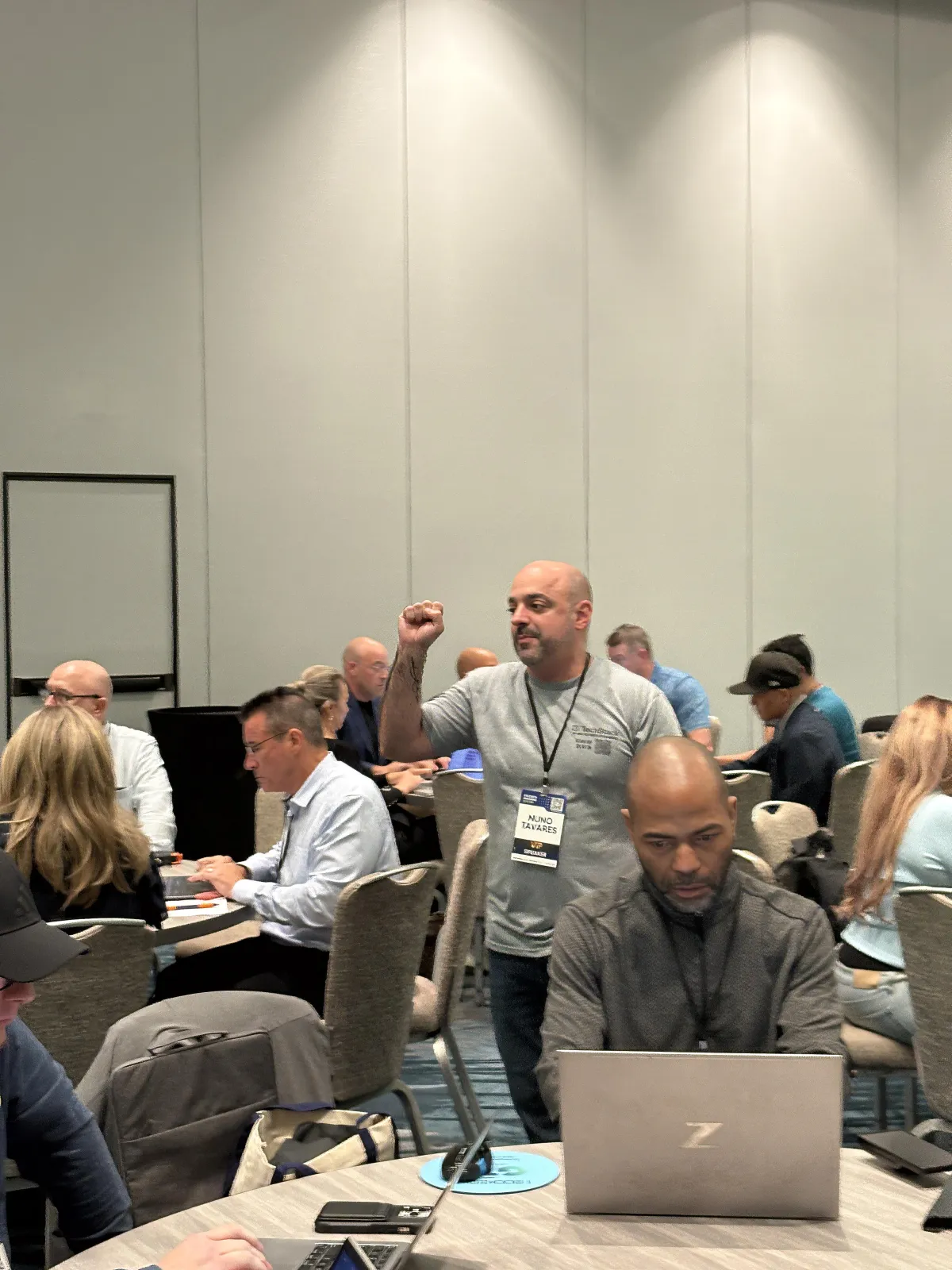
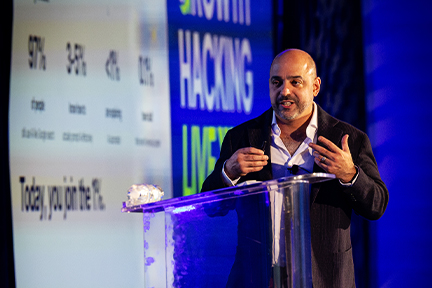
NUNO TAVARES
The Automation Architect Who Built the System You're About to Learn
Creator of the Vibe Coding Incubator
25 years of Fortune 100 IT experience (Bank of America, Capital One)
2,700+ students trained on AI building and automation worldwide
HighLevel Multiple Award Winner
AI automation architect who builds his agency workflow on Claude Code daily
Nuno didn't learn Claude Code to teach a workshop. He learned it because his businesses needed it. Then he spent months building the curriculum — writing every SOP, testing every command on both Mac and Windows, rebuilding entire lessons when real-world testing revealed that the documentation didn't match reality.

KAILA LOVE
The AI Solutions Architect Who Bridges the Gap Between Hype and Real Results
AI Solutions Architect & Tech Founder
Official Brand Ambassador for Lovable and n8n
Author of AI: The Bootleg Brain
Known as “Your AI Homegirl”
Creative technologist spanning AI, music, and entrepreneurship
Kaila's superpower is making complex AI systems feel accessible. As an ambassador for both Lovable and n8n, she lives at the intersection of powerful platforms and practical implementation. She doesn't just know what these tools can do in theory — she knows what they do in the hands of real people building real businesses.
Nuno brings the systems architecture, the deep Claude Code expertise, and 25 years of enterprise IT rigor.
Kaila brings the practical AI implementation knowledge, the builder mindset, and the ability to make technical concepts click.
Together: 8 hours of live, hands-on training for less than most developers charge for 60 minutes of their time.
8 Hours With Two Recognized Claude Code Expert In The AI Development Space...
For Less Than a single hour of developer time
Nuno built the entire curriculum, every SOP, every template — tested on real machines across months of iteration.
Kaila bridges the gap between powerful AI tools and real-world implementation for everyday business owners.
This isn't a webinar where you watch someone talk about what's possible. This is a live workshop where you install, configure, build, and ship — alongside two people who've already solved the problems you're about to face.
By 7:00 PM on March 27th, You’ll Know How To:
Build and deploy full-stack applications using AI — without writing code from scratch
Configure CLAUDE.md — so Claude remembers your rules, your style, and your project context — every session, automatically
Connect 5 MCP servers: GitHub, Context7, Sequential Thinking, Playwright, Brave Search
Install and create Skills — portable expertise that makes Claude a specialist with one word
Let Claude build autonomously in Auto-Accept mode — with safety hooks protecting your work
Deploy to Vercel with a single command— live URL, HTTPS, global CDN
Use the 8-Phase Launch Sequence —to take any idea from concept to live URL
Run a 5-agent AI development team in parallel: Reviewer, Debugger, Frontend Dev, Documenter, Tester
Create one-word slash commands that trigger entire workflows (/kickoff, /review, + custom)
Plan builds using the GSD framework with binary "DONE WHEN" acceptance criteria
Set up Supabase databases with Row Level Security without writing SQL
All of this for $67 — about $8.37 per hour of expert-led, hands-on training.
This Workshop Was Designed For Builders Who Are Ready For the Next Level
This Workshop IS For You If:
You're a coach, consultant, agency owner, or solopreneur who has app ideas sitting in a notebook — lead magnets, calculators, client portals, booking systems — and wants the fastest path from idea to live URL
You've built with AI tools like Lovable, Bolt, Cursor, or Replit and you want to learn the full-control system the most productive builders are using
You've watched Claude Code being used on YouTube and thought "I want to learn that properly — not from disconnected 12-minute tutorials, but from someone who actually built a system around it"
You want to stop paying developers $350–500/day for tools you could build yourself in an afternoon — once you know the framework
You're a solopreneur or small team that wants to operate with the development capacity of a 10-person shop — without the 10-person payroll
You're willing to invest 8 hours across 4 evenings to learn a skill that compounds every time you use it
You're comfortable with basic computer use — if you can install an app and use a web browser, you have all the technical skill you need to start
This Workshop Is NOT For You If:
You're looking for "build an app in one prompt" magic — this is a professional framework with real tools, real structure, and real results
You're not willing to commit 2 hours per evening for 4 consecutive days — this isn't self-paced, and showing up matters
You want to passively watch someone else build — you'll be installing, configuring, and shipping alongside us
You're already an experienced Claude Code user who's built and deployed multiple applications — this is designed to take people from zero to shipped
You're not comfortable with basic computer tasks like downloading software, creating accounts, and following step-by-step instructions
The Claude Code Adoption Curve Is Moving Fast. The Best Seat at the Table Is the One You Take Early.
There's a pattern in every major technology shift.
A small group learns the new system while it's still emerging. They build real expertise. They figure out what works and what doesn't. They make their mistakes while the stakes are low and the competition is thin.
Then the wave hits mainstream — and suddenly everyone is trying to learn the same thing at the same time, from worse sources, with less support.
Claude Code is in the early-adoption window right now.
Here's why:

~24% of GitHub commits
Currently involve Claude Code, according to publicly reported data. That number is growing. The developer community has already shifted — the question is how fast the rest of the business world follows.

AI task capability
Has been roughly doubling every 4–7 months. What AI could handle autonomously for 10 minutes a year ago, it can now handle for hours. The builders who learn to direct this capability have a compounding advantage.

Enterprise is moving
Major companies including Accenture have launched large-scale Claude training programs. When organizations with billion-dollar budgets invest this heavily, it signals where the market is headed.

The cost math is impossible to ignore
Claude Pro runs at $20/month. A freelance developer runs at $350–500/day. The businesses that learn to build their own tools with AI will operate at a fundamentally different cost structure.
Very few trainings Programs teach all three together:
1. The Environment: Claude Code, MCP servers, Skills, CLAUDE.md configuration, Hooks, Agent Setup
2. The Frameworks: 8-Phase Launch Sequence, GSD planning, autonomous execution, context rot prevention, the 3-Try Rule
3. The Production Workflow: real databases (Supabase), real deployment (Vercel), real applications with live URLs
This workshop combines environment + frameworks + production — delivered in 8 hours by two practitioners who've already done the implementation work so you don't have to figure it out alone.
Workshop Bonuses (Included Free With Every Seat )
These aren't throwaway PDFs. These are production-ready tools you'll reference for months after the workshop.
BONUS #1
Lifetime Community Access
Every attendee gets permanent access to the builder community. No expiration. No upsell required.
Ask questions and get answers from Nuno, Kayla, and fellow builders
Share wins, troubleshoot issues, and get feedback on your projects
Connect with other builders who speak the same Claude Code language
Access new resources, templates, and updates as Claude Code evolves

BONUS #2
Pre-Work Setup Guide
A 1–2 hour step-by-step walkthrough to install every required piece of software before Day 1. When the workshop starts, you're building — not troubleshooting installations.
Claude Pro subscription activation and verification
VS Code installation and extension setup
Node.js and Git configuration (Mac and Windows paths)
Environment verification checklist — confirm everything works before you arrive

BONUS #3
Software Requirements Checklist
A complete, honest breakdown of every tool you'll need — what's required, what's free, and what's optional. Zero surprises on Day 1.
Claude Pro ($20/mo) — Required for Claude Code access
VS Code (free) — your development environment
Node.js and Git (free) — essential infrastructure
Supabase (free tier) — your app's database
Vercel (free tier) — your app's hosting and deployment
Optional: GitHub account (free), Brave Search API key (free tier)

BONUS #4
The Complete SOP & Template Library
This is the reference system you'll use long after the workshop ends. Not a "cheat sheet." A complete operational library.
12 detailed Standard Operating Procedures — one for every lesson, ranging from 10 to 40+ pages each. Step-by-step commands for Mac and Windows. Written for non-technical people. Every "Warning" and troubleshooting note exists because we hit that exact problem during testing.
Global CLAUDE.md Template — your personal defaults, security rules, coding style, and communication preferences. Drop this into any project and Claude knows how you work.
Project CLAUDE.md Template — project-specific context, tech stack, file structure, architecture notes, and status tracking. The exact template used in the workshop
MCP Directory & Safety Guide — where to find MCP servers, how to vet them, security warnings, and trust-level rankings. The guide that keeps you safe as you expand your toolkit.
Agent & Plugin Sources Guide — a ranked directory of every trusted source for downloading Claude Code agents and plugins, from official Anthropic repos to vetted community sources. Includes install commands.

BONUS #5
Early-Adopter Pricing Lock
This is the founding cohort. The price reflects that.
Current price: $67. Future cohort pricing will increase significantly.
The workshop curriculum represents months of development and real-world testing
Builders who learn the framework now will be teaching it to their teams 6 months from now
This pricing is available for this cohort only

Choose Your Workshop Experience
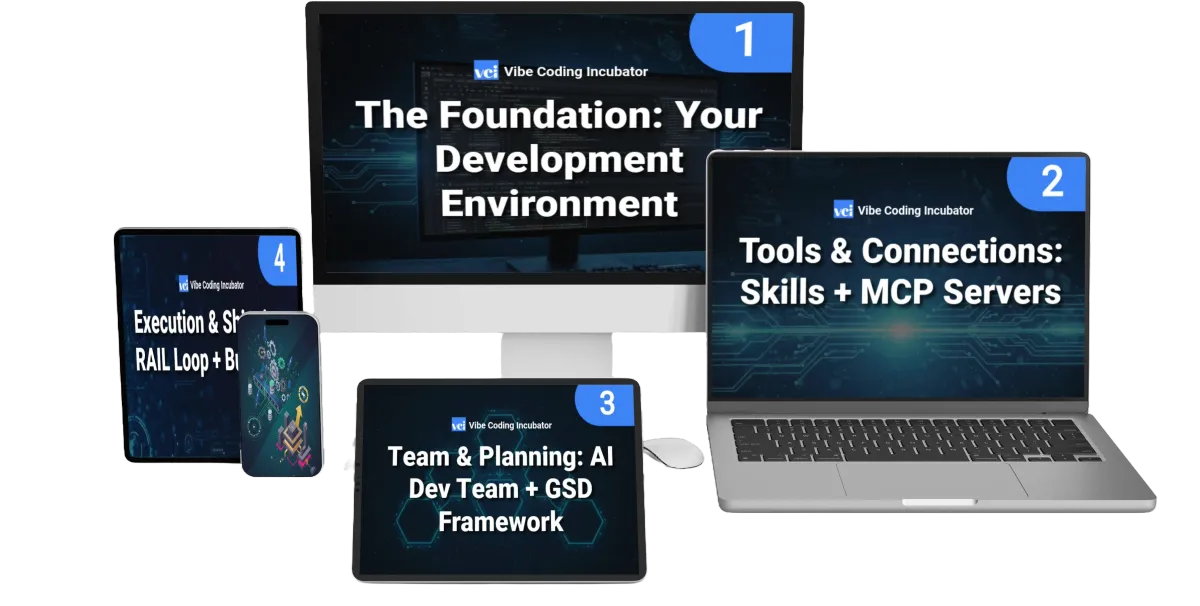
STANDARD ACCESS — $67
Perfect for most attendees who want the core training and tools.
What's included:
Full 4-day live workshop (March 24–27, 5–7 PM ET)
All 12 lessons across 4 days (Foundation → Power Tools → Build Workflow → Ship It)
Live Q&A during every session
12 comprehensive SOPs (step-by-step for every lesson)
CLAUDE.md templates (Global + Project)
MCP Directory & Safety Guide
Agent & Plugin Sources Guide
Pre-work setup guide
Software requirements checklist
Lifetime community access
🔒 Secure checkout • Instant access upon registration
FREQUENTLY ASKED QUESTIONS
Do I need coding experience?
No. The workshop and every SOP are written for people with zero coding background. If you can install an app on your phone and follow step-by-step instructions, you have everything you need. We cover both Mac and Windows with exact commands you can copy and paste.
What software do I need?
Claude Pro subscription ($20/mo), VS Code (free), Node.js (free), and Git (free). On Day 4, you'll also create free accounts on Supabase (database) and Vercel (deployment). The full list — with download links — is in the Pre-Work Setup Guide you receive after registration. Total additional cost beyond the workshop: $20/mo for Claude Pro.
Will I get recordings?
Recordings are available with the VIP upgrade ($164), which will be offered during the workshop. The Standard tier is designed as a live, hands-on experience — but every lesson has a detailed SOP you can follow at your own pace after the workshop.
How much time will this take?
8 hours total: 2 hours per evening for 4 consecutive evenings (5–7 PM Eastern). Plus 1–2 hours of pre-work to install software before Day 1. We recommend setting aside the full time without distractions — you'll be building alongside us in real-time.
Is this just another ChatGPT tutorial?
Not even close. This is Claude Code — a terminal-native AI agent that works in your actual development environment. You won't be typing prompts into a chat window. You'll be directing AI agents to build, test, and deploy real applications with databases and live URLs. The tools, the workflow, and the outcomes are fundamentally different from anything in the ChatGPT ecosystem.
Will this work on my computer?
Claude Code works on Mac, Windows, and Linux. The SOPs include step-by-step instructions for both Mac and Windows, including Windows-specific configurations that most tutorials miss. Minimum requirements: a computer that can run VS Code, a stable internet connection, and a modern web browser.
What if I can’t make it live?
The workshop is designed as a live experience — you'll build alongside us in real-time, with live Q&A and troubleshooting. If you miss a session, the comprehensive SOPs cover every step in detail so you can catch up. VIP ticket holders also receive lifetime access to the recordings.
Is there an upsell?
Full transparency: during the workshop, we'll mention a VIP upgrade ($164) that includes lifetime recordings, additional templates, and extended agent configurations. We'll also mention relevant tools and services you may find useful. You are under zero obligation to purchase anything beyond the $67 workshop. The core training, SOPs, templates, and community access are complete on their own.
Is there a community?
Yes — every attendee gets lifetime access to our builder community. Ask questions, share wins, troubleshoot issues, and connect with other builders who are learning the same system. Nuno and Kaila are active in the community.
Will this be offered again?
Future cohorts are planned, but pricing will increase and the curriculum will evolve. This is the founding cohort at founding-cohort pricing.
Seats Are Filling — Secure Yours Before March 21st
March 24–27, 2026
5:00 PM – 7:00 PM Eastern Time
This is a live workshop with a hard cap at 500 seats. When registration closes on March 21st, that's it.
No "we opened 50 more seats." No replay-only option. No "catch the next one." The next cohort won't run until June at the earliest — at a higher price.
If you've been thinking about learning Claude Code, this is the most structured, most supported, and most affordable way to do it.
🔒 Secure checkout • Instant confirmation
You've Got Ideas.
You've Got Business Problems That Software Could Solve.
The Only Missing Piece Is the System
You've felt it before.
That moment when you realized AI could actually build things. Maybe it was a landing page. Maybe it was a prototype. Maybe it was just a conversation with ChatGPT where you thought: "Wait — this could actually work."
That feeling doesn't go away. It grows.
It's what made you experiment with AI building tools in the first place. It's what made you click on this page. And it's the same instinct that every builder in our community describes when they talk about the moment they decided to learn Claude Code:
"I knew there was another level. I just needed someone to show me the system."
Here's the system:
The 8-Phase Launch Sequence
Scaffold → CLAUDE.md → PRD → Database → Build → Ship → Verify → Fix.
12 lessons across 4 days
Each one building on the last
3 real applications
with databases, authentication, and live URLs — built and shipped by you, during the workshop.
A repeatable framework
you'll use for every app idea you have for the next 2–3 years.
All for $67. Eight hours. Two experts. One system that works.
March 24-27th, 2026 | 5:00 PM - 7:00 PM Eastern Time
LIVE. VIRTUAL. HANDS-ON.
🔒 Secure checkout • Instant confirmation
Nuno Tavares
Vibe Coding Incubator | Automated Marketer | HighLevel Multiple Award Winner
Kaila Love
AI Solutions Architect | Lovable & n8n Ambassador | Author of AI: The Bootleg Brain
RESULTS DISCLAIMER:
The training, tools, and frameworks taught in this workshop represent the instructors' professional experience and methodology. Individual results will vary based on your technical comfort level, implementation effort, project complexity, and dedication to applying the framework. AI-directed building outcomes depend on proper implementation of the tools and best practices taught. We make no guarantees regarding specific productivity improvements, revenue results, or business outcomes.
REFUND POLICY:
All sales are final. Due to the live nature of this workshop and the immediate delivery of SOPs, templates, and community access, we do not offer refunds. Please review the full curriculum and prerequisites before purchasing.
AFFILIATE DISCLOSURE:
This workshop may include mentions of third-party products and services. In some cases, the workshop hosts may receive compensation if you choose to purchase. This does not affect your price, and we only reference tools we personally use.
TRADEMARK NOTICES:
Vibe Coding Incubator is a workshop by Arcytex | Automated Marketer. Claude, Claude Code, and Anthropic are trademarks of Anthropic, PBC. VS Code is a trademark of Microsoft Corporation. All other trademarks are property of their respective owners.
© 2026 Vibe Coding Incubator. All rights reserved. Terms & Conditions | Privacy Policy
Recordings available for VIP ticket holders only. All bonuses delivered digitally upon registration and completion of workshop. VIP upgrade details shared during the live sessions.
© 2026 Vibe Coding Incubator. All rights reserved. Terms & Condition | Privacy Policy
* Recordings available for VIP ticket holders only. All bonuses delivered digitally upon Start and End of Workshop. InboxIQ and EES Premium are separate paid products with workshop-exclusive pricing revealed during the event.*